


PulseView Touchscreen Smart Digital Badge
PulseView Touchscreen Smart Digital Badge
Wear Your Moments, Change Your Style
Photos, GIFs, Videos — All On Display
30-Hour Battery, Ready All Day
Couldn't load pickup availability
Ships Within 24 Hours · 30-Day Guarantee · Secure Checkout

PulseView Touchscreen Smart Digital Badge
-

The screen is bright, the touch controls feel responsive, and uploading photos took only a few minutes.
-

I love changing the image depending on my outfit. It feels much more premium than a normal badge.
-

Used it all weekend at a convention and people kept asking where I got it. The GIF support is a great touch.


Tech Specs
Tech Specs
Display: 1.7" touchscreen
Size: 2.09 × 2.09 in / 5.3 × 5.3 cm
Connection: Bluetooth
Battery: Up to 30 hours
Charging: Magnetic charging
Supports: Photos, GIFs, videos up to 15 seconds
Storage: Up to 100 photos
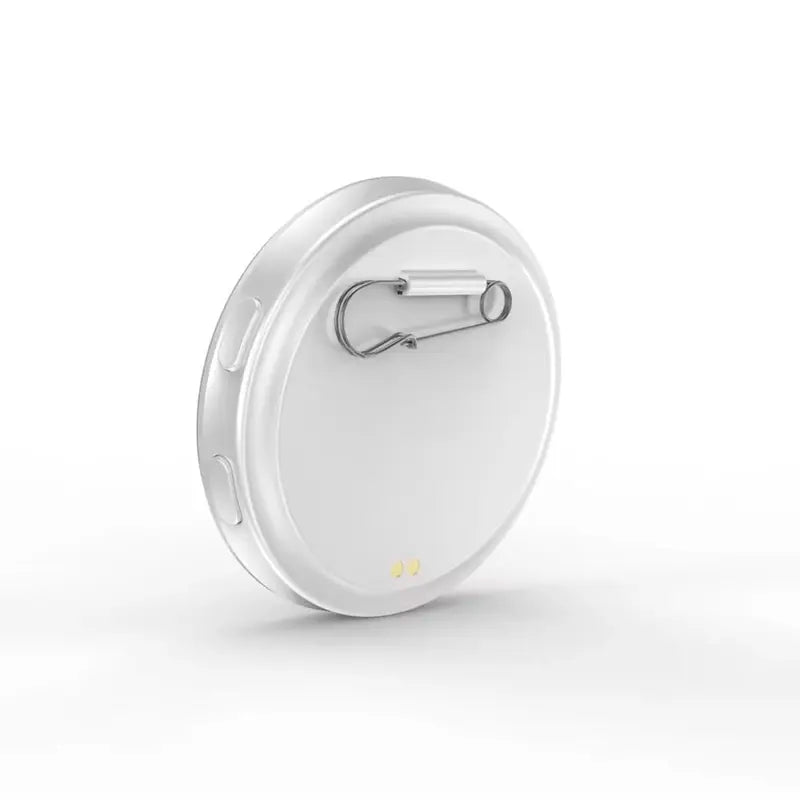
Attachment: Rear safety pin
30-Day Money Back Guarantee
30-Day Money Back Guarantee
Love it or we'll make it right.
Shipping Info
Shipping Info
All orders are processed within 1 to 2 business days.
Delivery time is6 to 9 business days.
If you have any questions, don't hesitate to contact us.


Why PulseView Stands Out
More ways to personalize. More time to enjoy it.
| PulseView | Others | |
|---|---|---|
| 1.7" Touch Display | ||
| Up to 30 Hours | ||
| Photos, GIFs & Videos | ||
| Up to 100 Photos | ||
| Magnetic Charging |
FAQ's
How do I upload my content?
How do I upload my content?
Connect the badge via Bluetooth, open the companion app, then upload your photos, GIFs, or videos.
What content does it support?
What content does it support?
Photos, GIFs, and short videos up to 15 seconds.
How many photos can it store?
How many photos can it store?
The badge can store up to 100 photos.
How long does the battery last?
How long does the battery last?
Up to 30 hours, depending on screen brightness and usage.
How do I charge it?
How do I charge it?
Simply attach the included magnetic charging cable to the charging contacts on the back.
Is the screen touch-sensitive?
Is the screen touch-sensitive?
Yes. The 1.7-inch touchscreen lets you navigate and switch content directly on the device.
How big is the badge?
How big is the badge?
Approximately 2.09 × 2.09 inches / 5.3 × 5.3 cm.
How do I wear it?
How do I wear it?
Use the integrated safety pin on the back to attach it to clothing, bags, backpacks, and more.